
| |
|
update July 20, 2026 |
| Special case: A
standalone computer (eg. in a lab) that does not run a web
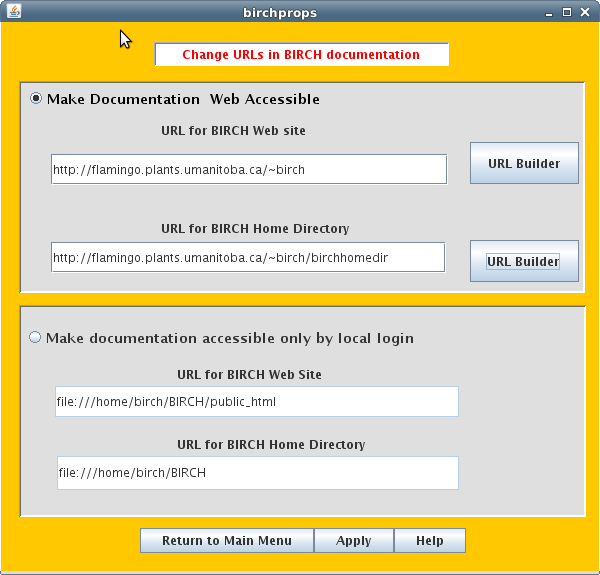
server, but does have multiple user accounts. Until recently, if you installed a copy of BIRCH on a single account, the BIRCH documentation was easiily readable by all other accounts, since BIRCH is installed with world-readable permissions. In that (default) case, BIRCH documentation files had a URL beginning with something like "file:///home/birch/public_html...". However, recent web browsers such as Firefox no longer allow access to files outside of one's own home directory. This is a security measure, albeit a clumsly and crude one. To get around this problem, you will need root privileges to configure a local web server that should be accessible by others on your local network (eg. a VLAN). 1. Install the apache web server - On Ubuntu or related distros, "apt install apache2". On RedHat (Fedora) and related distros, see https://linuxcapable.com/how-to-install-apache-httpd-on-fedora-linux/. On MacOS, see https://discussions.apple.com/docs/DOC-250009910 2. Allow users to have personal web sites. (From https://stackoverflow.com/questions/526742/how-can-i-make-a-public-html-folder-in-ubuntu) Assuming you've already installed apache2, do the following: sudo a2enmod userdir sudo systemctl restart apache2 The first command enables the userdir apache mod, which allows each user to have a web site in their $HOME/public_html directory. The second reloads apache configurations so that it starts using the new configuration. To make your BIRCH site available on the local network, you also need to make a symbolic link from birch's home directory to the BIRCH web directory: As birch, go to your $HOME directory (eg. /home/birch) and type ln -s BIRCH/public_html If you type ls -l, the link should look something like lrwxrwxrwx 1 birch birch 17 Jul 18 17:19 public_html -> BIRCH/public_html Finally, you need to change links in the BIRCH documentation so that all links read the documentation through your local web server. This is done in the birchadmin tool, as shown below. |
| If you already know a lot about web servers and
URLs, you may wish to look at the EXAMPLES page now. |
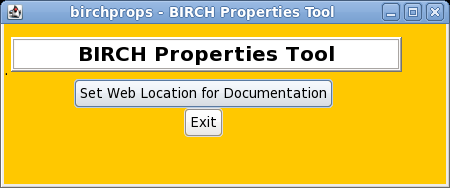
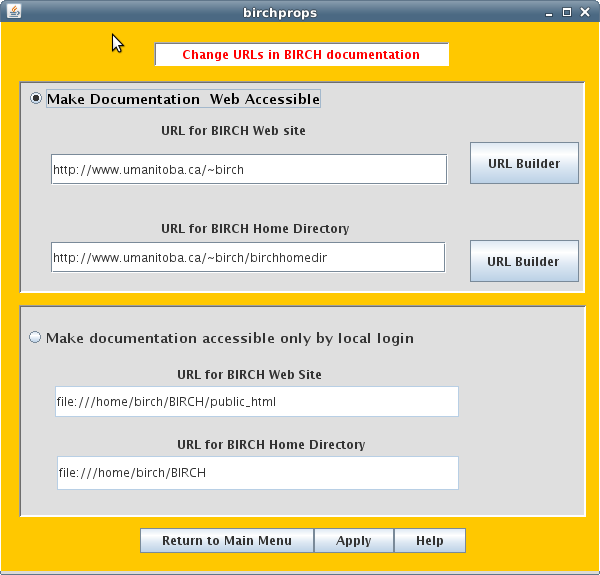
| Read the next section before proceeding further! |
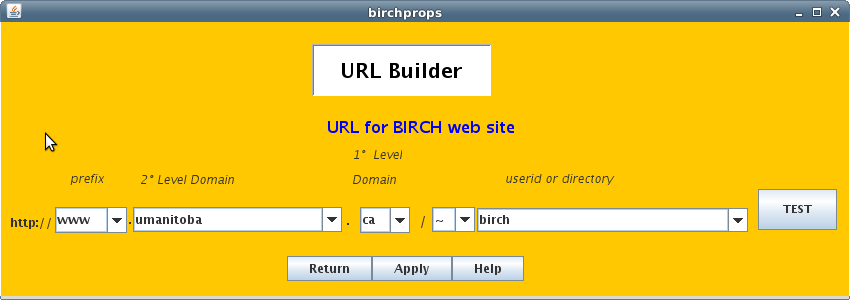
| In the simplest case, there
is a web server such as Apache running on the same host as
BIRCH. In the figure, BIRCH has been installed on a host
called intron.mylab.ca, in /home/birch. In a typical Apache
installation, the user's web site is found in
$HOME/public_html, or in this case, /home/birch/public_html.
By default, the home page is called 'index.html', and this
name need not be included in the URL. Again, typically there
is a web server running on the same host whose name starts
with 'www' or maybe 'home'. URLs therefore have the general
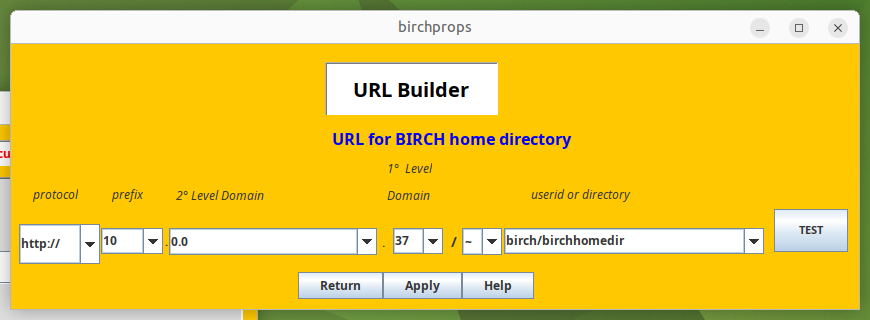
structure: http://www.hostname.domain/~userid or http://home.hostname.domain/~userid |
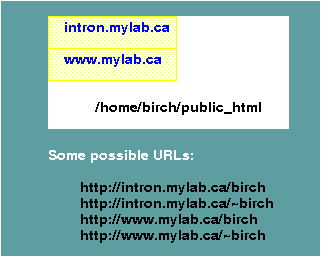 Figure 1. |
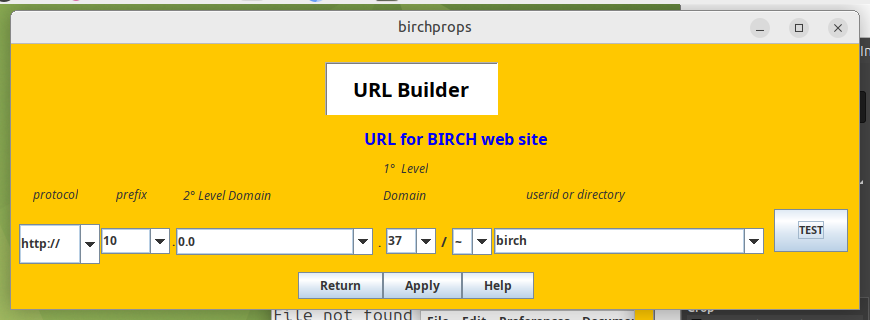
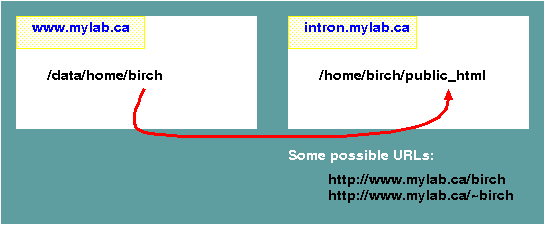 Figure 2. |
| Make your webmeister happy! Tell
him/her/it that the BIRCH web site does NOT use CGI, PHP or
Javascript. It is nothing more than read-only documentation. |
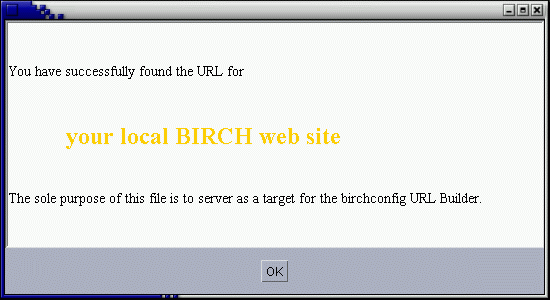
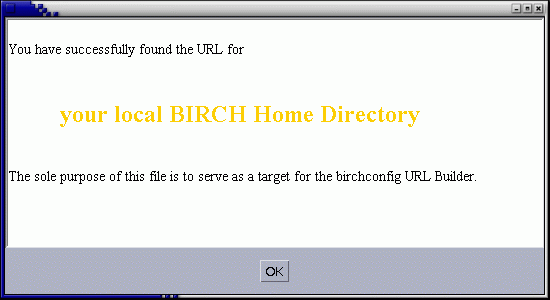
The remainder of this document tells how to change URLs in documentation manually, without using birchprops. You can probably ignore this section. |
| ~ file:///home/birch/BIRCH/public_html/index.html file:///home/birch/BIRCH brian.fristensky@umanitoba.ca /home/birch/BIRCH birch |
| ~ http\://flamingo.plants.umanitoba.ca/~birch/birchhomedir http\://flamingo.plants.umanitoba.ca/~birch brian.fristensky@umanitoba.ca /home/birch/BIRCH birch |
| #Birch
Properties #Fri Jul 08 17:00:56 CDT 2016 BirchProps.BirchMasterCopy= BirchProps.adminUserid=birch BirchProps.minibirch=false BirchProps.homedir=/home/birch/BIRCH BirchProps.platform=linux-x86_64 BirchProps.adminEmail=brian.fristensky@umanitoba.ca BirchProps.birchURL=http\://flamingo.plants.umanitoba.ca/~birch BirchProps.birchHomeURL=http\://flamingo.plants.umanitoba.ca/~birch/birchhomedir |
| IMPORTANT: Note that the
':' characters in the URLs MUST be escaped with backslash
characters! If you do not do that, sql2htmldoc.py will not
create valid URLs. |